

Tactical U Firearms Training is a booking business in Fort Lauderdale, Florida, with a recorded 5.0 Google rating and 354 reviews in the October 15, 2026 snapshot. It is also where Lights On AI started. Stephen L. Cohen, who founded both, is not a programmer. He built a team of AI agents to run Tactical U's front office, learned where those systems break, and fixed them on his own business first.
The example below describes the original workflow. The current proof page explains the expanded chain and distinguishes live examples from controlled tests.
What did Tactical U's front office look like before the agents?
There was one instructor on the range, and an inbox that never slept. Inquiries came in by email, text, Google Voice, web forms and voicemail. The same customer could appear under three spellings. Dates were held on the calendar before payment was in. Follow-ups and review requests went out when there was time.
Stephen was teaching on the range and running the front office after hours. Good customers waited, and some stopped waiting.
What are the seven steps from first message to follow-up?
The original workflow was organized into these seven steps:
- Inquiry. Email, text, voicemail and forms land in one place.
- One record. Every phone number, email address and spelling of a name is kept together.
- Proposal and hold. A reply or proposal is drafted, and the date is held as tentative.
- Waiver. The waiver is sent automatically after an online sign-up.
- Payment matched. The payment is checked against the paid invoice in QuickBooks.
- Confirmed. Only now does the date become firm.
- Follow-up. Reminders and review requests are drafted, in fresh words every time.
Two of those steps always wait for the owner: the reply in step 3 and the follow-up in step 7. Nothing personal goes to a customer until Stephen has read it.
How does one booking move from first text to review request?
Our proof page follows an example private lesson. It is built from how real bookings move, with the names and times changed.
A text arrives on a Tuesday at 9:12 pm asking whether Tactical U does private lessons for a first-time shooter. A lead record is created. The phone number matches an email inquiry from March, so the two are merged into one customer. A minute later a reply is drafted in Stephen's voice, covering what the lesson includes, the booking link and a question about the customer's schedule. It waits in the queue.
At 6:40 the next morning, Stephen reads the draft, changes one word and taps approve. The text goes out.
Later that morning the customer books Saturday at 10. The calendar gets a tentative hold, the waiver link goes out and the invoice is drafted. On Thursday the payment lands. The agent matches it to the invoice in QuickBooks. The date becomes firm only when customer confirmation, the required payment or approved deposit, and each trainee’s signed waiver are complete.
On Friday a reminder is drafted: what to bring, where the range is and when to arrive. Stephen approves it. The day after the lesson, a thank-you and a Google review request are drafted and a note goes on the customer's record. Stephen approves that too.
That is three taps from the owner across the whole booking. It is still two owner steps, because the follow-up step happens twice: once before the lesson and once after.
What does the system run on?
The business didn't have to learn new software. Everything is built on accounts Tactical U already owned:
- Gmail and Google Voice, where inquiries land. The agents read and draft, and never send on their own.
- Google Calendar, for tentative holds that become firm only after payment and waiver.
- QuickBooks, where every payment is matched to an invoice before a booking is called confirmed.
- The CRM and a shared memory: one record per customer, one queue of work and one plain-English status for the owner.
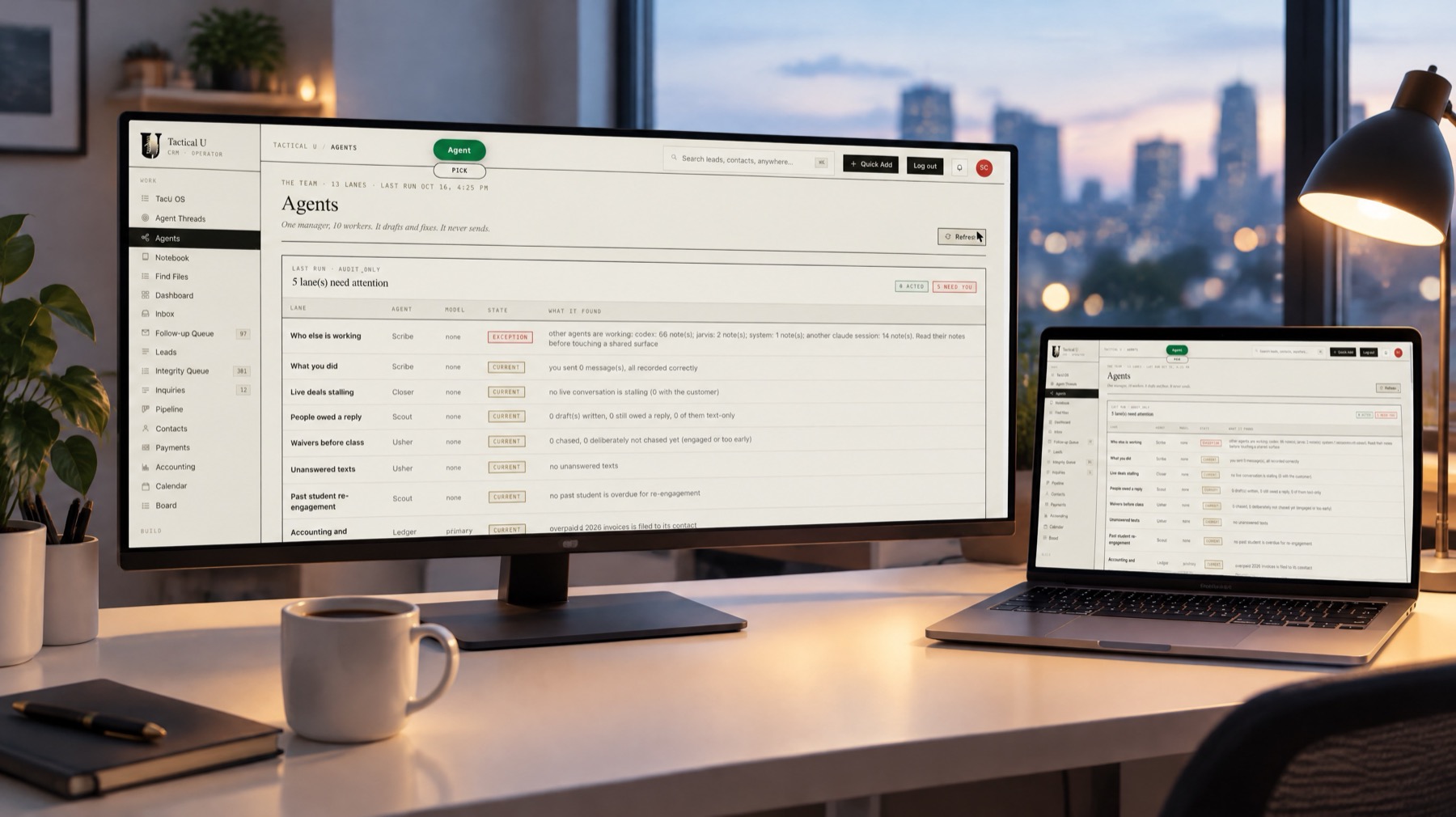
Four AI agents share that memory: Claude, Codex, Jarvis and Mavis. Because they all read and write the same knowledge base, a decision is recorded once, the agents can hand work to each other, and each of them knows a customer's history the next time that person gets in touch.
What does the owner see each day?
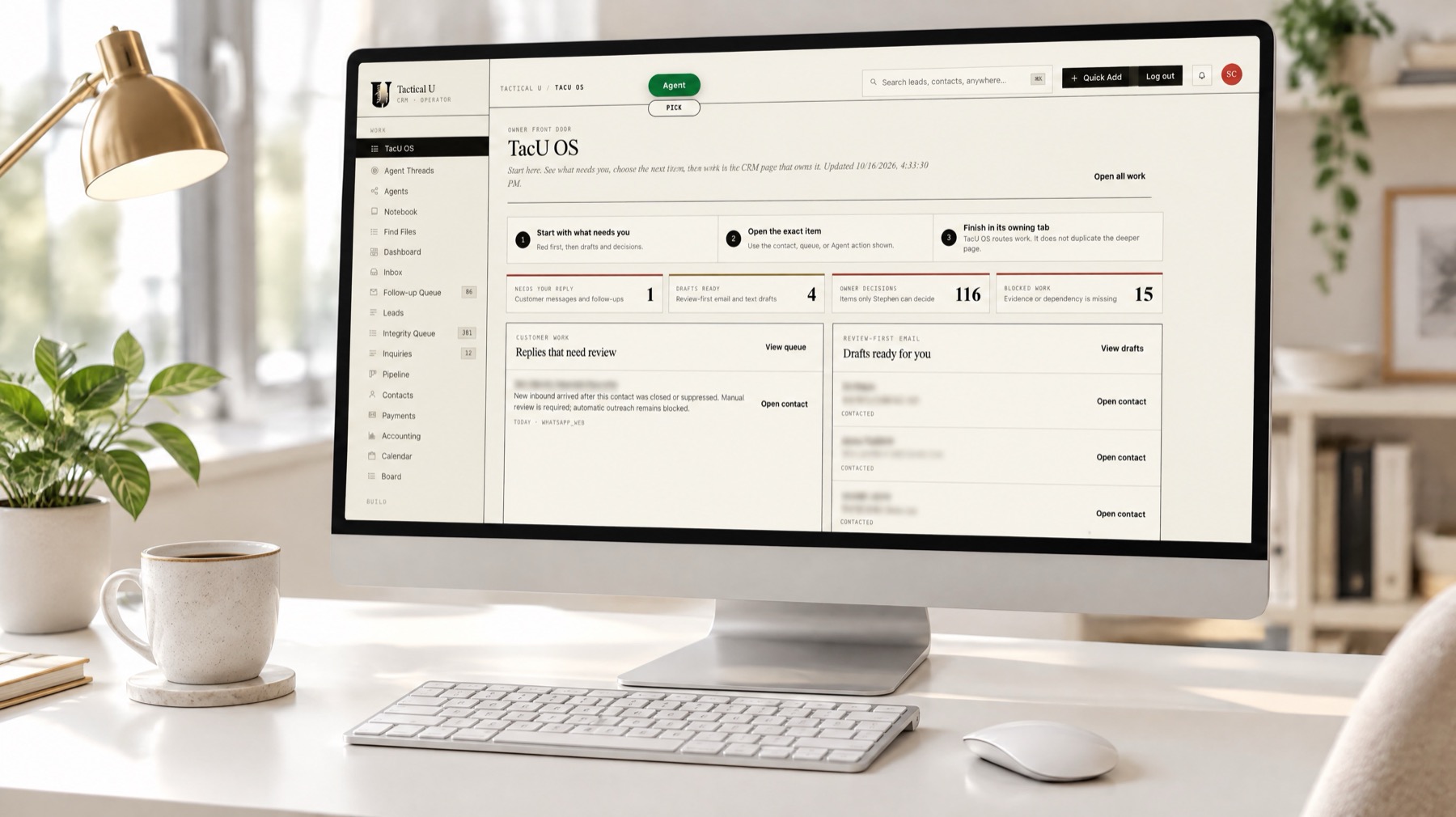
Stephen doesn't dig through separate inboxes to find out what needs him. One page shows what needs a reply, which drafts are ready, the decisions only he can make and any work that is blocked. Everything the agents want a yes on is in one list.
What did the earlier review establish?
Where it stood on October 16, 2026. Every day, new inquiries come in, each customer keeps one record, replies and follow-ups get drafted, and Stephen works through his approval queue. Payments get checked against QuickBooks invoices. At that review, unpaid-hold release and the CRM migration remained open. Read the proof page for the newer review of live examples, controlled tests and remaining exceptions.
Does this work for businesses other than training?
The same chain fits them, and we build it for them. It fits consultants with proposals and agreements, retailers with order questions and deposits, and manufacturers with quote requests and stock questions. But our running proof is a training business, and we say so plainly: we don't have a consulting, retail or manufacturing client live yet.
What does an AI consultant for a small business actually build?
At Lights On AI, the answer is this chain, fitted to your business and built on accounts you already own. It starts with a paid audit of 90 days of your real inquiries, bookings or orders, and payments, so the build fixes the leaks you actually have rather than the ones a software demo assumes.
What Tactical U does show is the working split. The agents do the reading, sorting, drafting and checking. The owner keeps the decisions and the personal replies.
Straight answers
Do the AI agents send messages to Tactical U customers without approval?
Not personal ones. Every reply and follow-up is drafted and waits for Stephen to approve it. The step marked automatic is the waiver, which is sent after an online sign-up.
Which AI agents run Tactical U's front office?
Four agents share one memory: Claude, Codex, Jarvis and Mavis. They work in Tactical U's CRM and on accounts the business already owned: Gmail, Google Voice, Google Calendar and QuickBooks.
Is the Tactical U system finished?
Not all of it. When we checked on October 16, 2026, Stephen was already working each day from one record per customer, with replies and follow-ups drafted for him to approve and payments checked against QuickBooks. Two jobs were still being built: letting unpaid calendar holds go on their own, and moving to the new CRM.