
Case study · our own business
A training company with AI agents in its front office.
Tactical U Firearms Training in Fort Lauderdale is where Stephen built and uses this system. The workflow connects incoming leads, editable drafts, calendar holds, signed paperwork, QuickBooks invoices and follow-up. Below is how the chain works, with its approval rules and current testing limits.
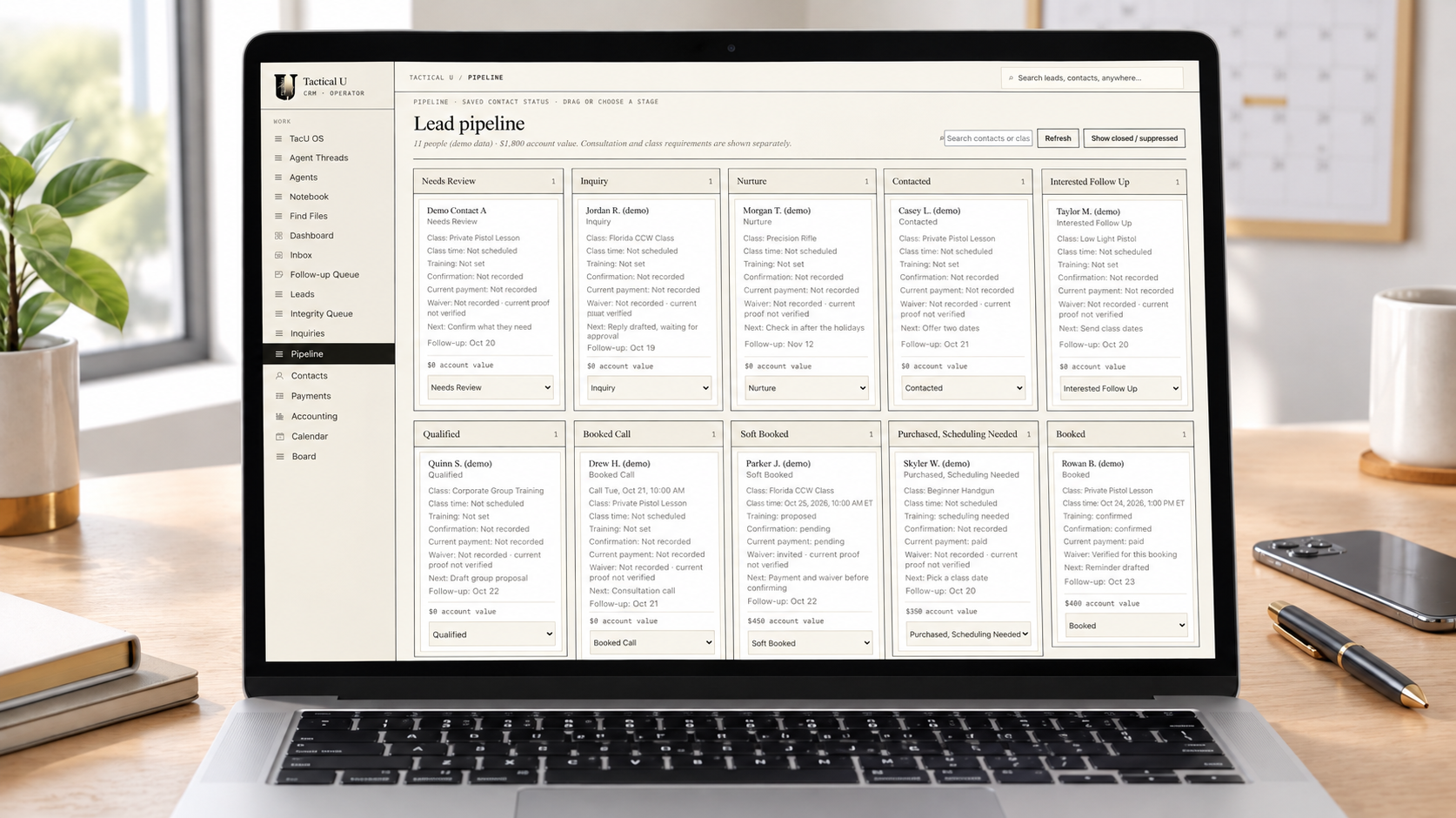
Before
One instructor on the range and an inbox that never slept.
Inquiries arrived by email, text, Google Voice, web forms and voicemail. The same customer could show up under three spellings. Dates were held on the calendar before any payment was in. Follow-ups and review requests went out when there was time.
The owner was teaching on the range and running the front office after hours. Good customers waited, and some stopped waiting.
After · how one booking moves
What the agents do, and where Stephen taps approve.
An illustrative private lesson based on the workflow Stephen described. Times are examples, not a measured response-time promise. Gold rows show owner decisions. The status section below distinguishes live use from testing.
A text arrives: "Do you do private lessons for a first-time shooter?" A lead record is created. A verified identity match connects it with the customer’s earlier inquiry. Uncertain matches need review; the payer and trainee can be different people.
A reply is drafted in Stephen's voice: what the lesson covers, the booking link, and a question about their schedule. It waits in the queue.
Stephen reads the draft, changes one word and taps approve. The text goes out.
The customer chooses Saturday at 10. The calendar gets a tentative hold. The proposal or booking terms, waiver and fee agreement follow the agreed process. Signed paperwork and a QuickBooks invoice are tracked against the same booking.
A payment arrives through an accepted payment method and is matched to the QuickBooks invoice. Customer confirmation, the required payment or approved deposit, and each trainee’s signed waiver are checked separately. The appointment becomes firm only when all required checks are satisfied.
A reminder is prepared with the appointment details and what to bring. Stephen can read and edit a personal draft or enable an approved routine reminder to send automatically.
Approved and sent.
After the lesson is recorded as completed, the completion workflow prepares the course certificate, files it on the trainee’s record and creates a thank-you and follow-up draft. Certificate preparation has been tested; delivery across live completion cases is still being verified.
Stephen reviews the personal follow-up before sending. The sent message is recorded, the pipeline status moves forward and the customer’s history stays available for the next contact.
What it is built from
Connected accounts. One place to review the work.
Gmail and Google Voice
Inquiries become records and editable drafts. Personal replies wait for approval. Routine messages send only under the rules Stephen enables.
Google Calendar
Appointments appear on the business calendar. A tentative hold stays tentative until customer confirmation, payment and signed paperwork meet the booking rules.
QuickBooks
Every payment matched to an invoice before a booking is called confirmed.
The CRM and shared memory
Contacts, proposals, appointments, documents and payments remain connected. Cancellations and reschedules change the status and next action while preserving the history.
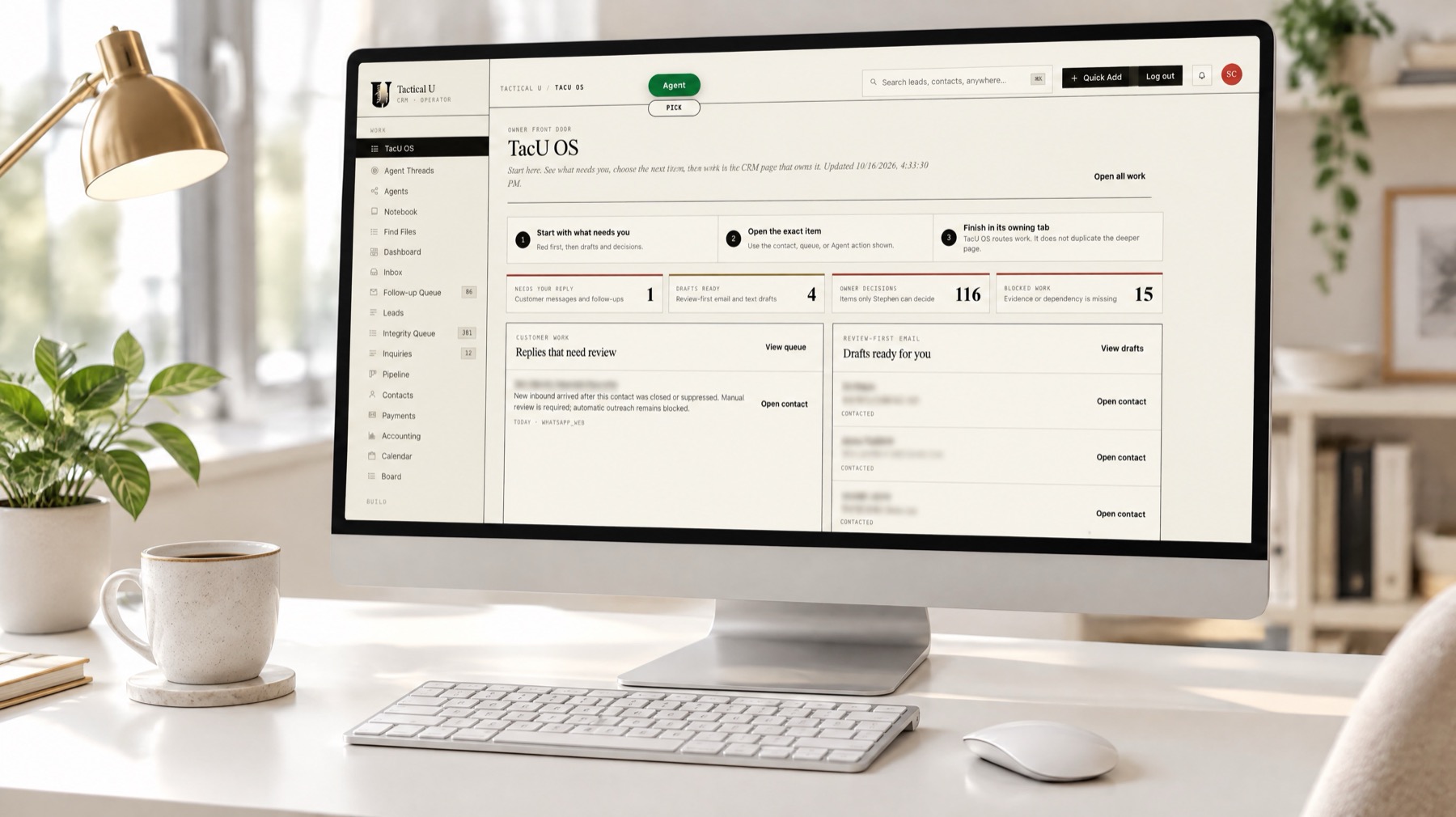
The owner's screen
One page shows what needs a reply, which drafts are ready, the decisions only the owner can make, and any work that is blocked. Everything the agents want a yes on is in one list.
Where it stands today
What is in use, and what still needs proof.
Reviewed October 28, 2026 against Stephen’s workflow description and the project’s recorded testing status.